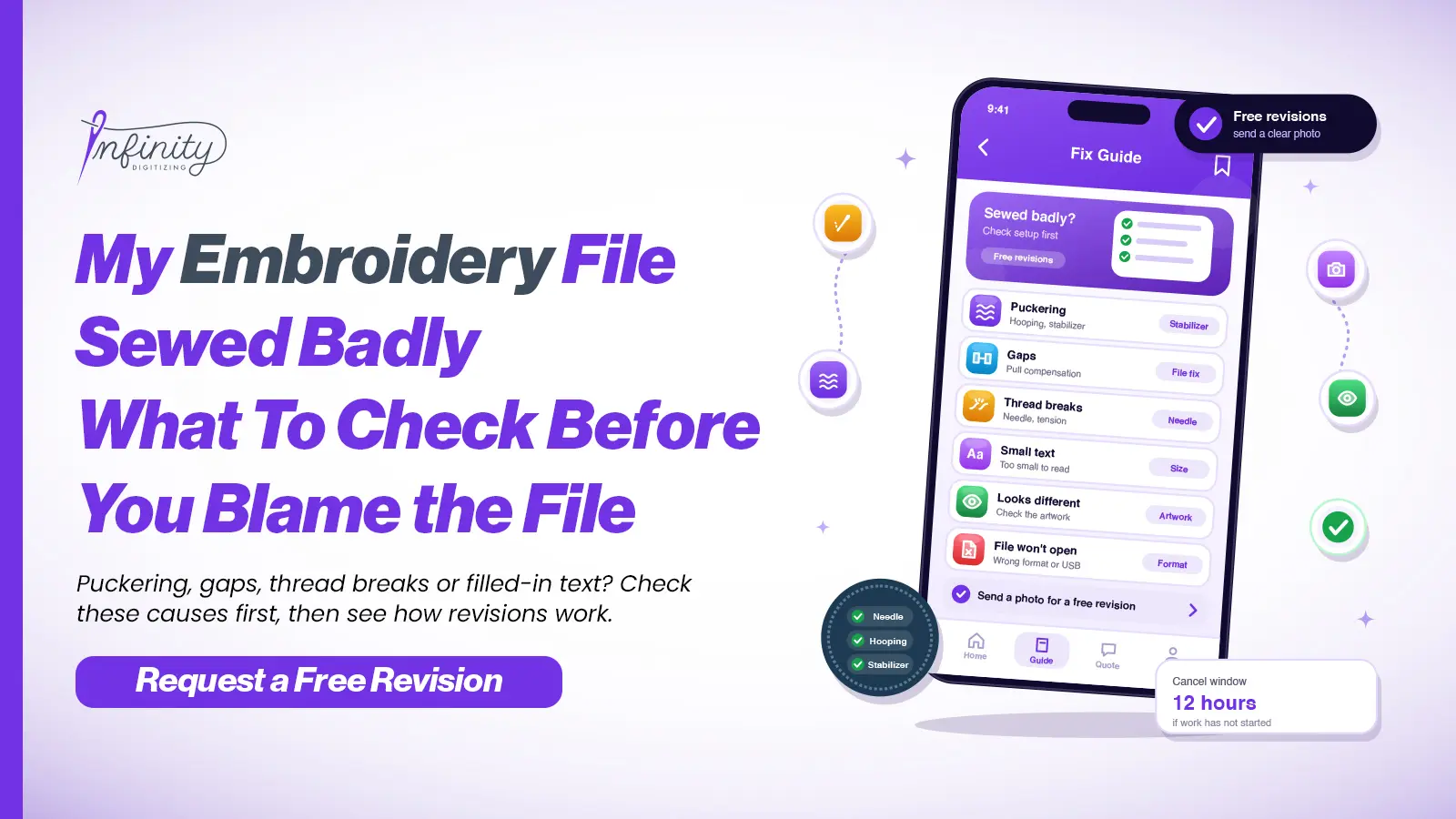
Change the needle, check hooping and stabilizer, and test at the ordered size first. If the fault repeats in the same spot, send a photo for a free revision.
Change the needle, check hooping and stabilizer, and test at the ordered size first. If the fault repeats in the same spot, send a photo for a free revision.
You loaded a fresh file, hit start and watched a logo come out wrong. Maybe the outline sits off to one side. Maybe the fabric puckers around the letters. Maybe the thread keeps snapping at the same spot. It is tempting to blame the digitizer immediately, and sometimes that is fair. Often, though, the cause is somewhere between the file and the fabric.
This guide walks through the problems people report most, how to tell where each one comes from, and exactly what to do next. It also explains how our revision and refund policy works, because knowing the rules up front takes the stress out of a bad test sew.
Our honest take: most bad stitch-outs trace back to setup, not the file, so rule that out first.
First, run a proper test sew
A fair test means the same conditions the real job will use. Before you decide a file has a problem, check that you sewed it on the garment fabric or something very close, with the stabilizer you will use for production, with fresh needles and correct thread, and at the size the file was made for.
Testing a logo digitized for a polo on a scrap of thin cotton with the wrong backing will almost always look bad. So will sewing a file at a different size than ordered. It is not that you did anything careless. It is just that embroidery is sensitive, and small differences in setup produce big differences in results.
Take a clear photo of the test and note the machine, garment, stabilizer and thread.
Problem 1: Puckering around the design
Puckering is when the fabric bunches or ripples around the stitched area. It usually points to one of these:
The fabric was not hooped tightly enough, or was stretched while hooping.
The stabilizer was too light for the fabric or the stitch count.
Density is high for a stretchy material.
If the puckering shows up on every fabric you try, ask the digitizer to review density and underlay. If it shows up only on one stretchy garment, try a heavier or cut-away stabilizer first.
Problem 2: Gaps between outlines and fills
You see a thin sliver of fabric between a colored fill and its outline. This is called a registration problem. It happens because thread pulls fabric inward as it sews, so shapes shrink slightly in the direction of the stitches.
Skilled digitizers compensate with pull compensation, extending shapes a hair so they meet after the fabric relaxes. If gaps appear, send a photo and say which areas are affected. This is a genuine file fix, and one the revision process exists to handle.
Loose hooping and loose backing can cause the same symptom, so it is worth checking those first.
Problem 3: Thread breaks and shredding
Thread that keeps breaking at the same spot can come from the machine or the file. Common causes:
A dull, bent or wrong-size needle.
Old, brittle or poor quality thread.
Incorrect upper tension.
Extremely dense stitching in a small area.
Change the needle and rethread before anything else. If the break happens in exactly the same dense patch every time, tell us where it is. A density or layering adjustment may be needed.
Problem 4: Small text that fills in
Lettering that looks clogged is usually a size issue. When text is too small for the thread, the counters fill and the letters blur. No setting can fully fix a letter that is physically too short.
Check the size you ordered against our embroidery size guideline. If your design includes tiny text, the fix may be to enlarge the lettering, simplify it or combine lines. Tell us the smallest text you need readable and we will say honestly whether it can work.
Problem 5: The design looks different from the artwork
A stitched logo will never match a flat image pixel for pixel. Thread has texture, and shading, gradients and thin lines translate differently. Still, there is a difference between “naturally different” and “wrong”.
Real problems include missing elements, wrong colors, misspelled text or a layout that does not match what you sent.
If something is missing or wrong, say so clearly with a photo or a marked-up copy of the artwork. It also helps to review our artwork requirements and make sure the original you sent was clear and complete. If the source image was blurry, some of those differences were baked in from the start.
Problem 6: The file will not open or the machine rejects it
If your machine cannot read the file, the usual culprit is the format. Confirm your machine’s supported types and request the right one. Our guide to embroidery file formats covers every brand: DST suits most commercial machines, PES suits Brother, and other brands use their own. If your USB stick is the problem, try a smaller, freshly formatted one.
How revisions work at Infinity Digitizing
If a test sew shows a real issue with the file, the first step is a revision. Embroidery digitizing revisions are free, and they are meant to correct and refine the file you ordered so it sews correctly. Our refund policy states that the number of revisions depends on the project type, and that revisions are for changes to the existing work, not for creating a brand new design.
To get the quickest result, send:
A clear photo of the stitched sample.
A short description of what is wrong and where.
The machine model, fabric, stabilizer and thread you used.
The size at which you sewed it.
With that information, a digitizer can usually pinpoint the cause rather than guessing, which means fewer rounds. You can also browse the digitizing help center for setup tips while you wait.
When a refund applies
Because digital files are delivered instantly, our policy is clear that sales are final in most situations. A refund may be considered when an order is canceled before work starts, when payment was made but the service was not delivered, or when we are unable to deliver the agreed service. Orders can be canceled within 12 hours of placement as long as work has not started.
If there is a genuine technical error on our side, we correct it as soon as possible, and a refund is issued only if we are unable to fix the problem. Partial refunds can apply when part of the work was completed and the rest cannot be. Approved refunds go back to your original payment method within 5 to 10 business days, depending on your bank or payment provider.
Refunds are not available after work is completed and approved, after files are downloaded or delivered without a valid issue, for a change of mind, or when multiple revisions were requested on a file that is working. You can read the full terms on the refund policy page, which is updated whenever the rules change.
Help us help you: the customer side
The policy also notes that customers should supply the correct artwork, sizes, instructions and requirements. If the wrong logo was sent or the placement was not specified, the file will reflect that. Clear input leads to clean output.
A short checklist before you contact us
Needle is new and correct for the fabric.
Thread is fresh and threaded correctly.
Fabric is hooped snugly without stretching.
Stabilizer matches the fabric and stitch count.
Test size matches the size ordered.
You have a clear photo of the problem.
Conclusion: Get Your Embroidery File Stitching Right
A disappointing test sew does not always mean your embroidery file is faulty. Start by checking your needle, hooping, stabilizer, thread and test size. If the same issue keeps appearing in the same spot under the correct conditions, it may be time for a professional file review.
At Infinity Digitizing, we want your design to stitch out as expected. If you spot a genuine technical issue, send us a clear photo of your sample along with your machine details, fabric, stabilizer and stitch size. Our team will review the problem and provide a free revision for eligible file issues. If we cannot resolve a verified technical error on our side, a refund may be considered under our refund policy.
Need help with a problem stitch-out? Don't waste time guessing. Contact Infinity Digitizing with your test-sew photo, and let us help you find the cause and get your design ready for production.